# 生成材質球

AI 生成可以提供材質當參考，一種很便利的方式就是「材質球」，這主要是 3D 建模會使用，但用在 AI 上也很方便，我就讓 ChatGPT 先幫我列出來各種常見材質。

<figure><img src="https://1859296287-files.gitbook.io/~/files/v0/b/gitbook-x-prod.appspot.com/o/spaces%2FkYEe2LwUkVTEuNZF6NVm%2Fuploads%2FqjNUwDyhSSG0BJJYnY5W%2FCleanShot%202025-04-18%20at%2011.45.30.png?alt=media&#x26;token=49c1af4c-ed3f-43ac-807e-c599a6e51098" alt=""><figcaption></figcaption></figure>

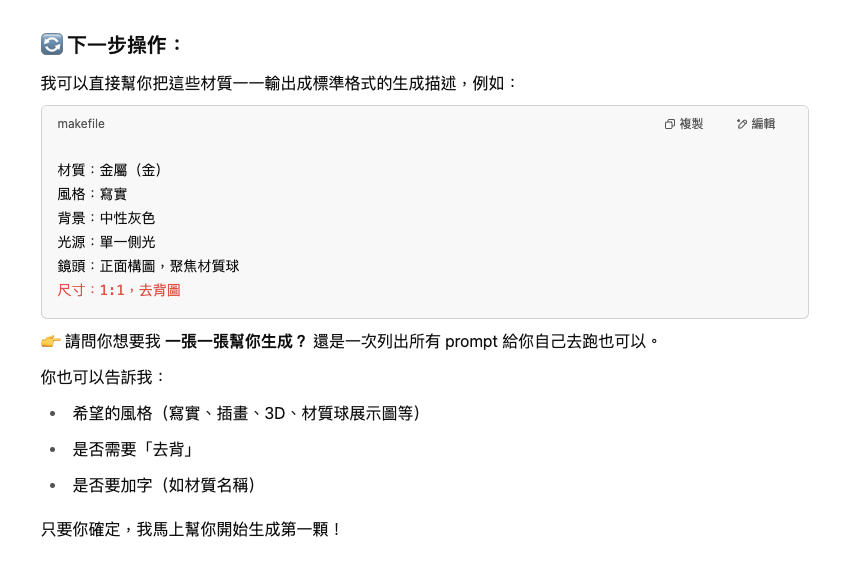
列出後請他生成，其實他有自動生成，但因為現在都會限制速度跟大量生成，所以他自動跑到 10 張就停了，不過他在生成描述時會學習我過去其它對話視窗的生成描述方式，這點超讚。

<figure><img src="https://1859296287-files.gitbook.io/~/files/v0/b/gitbook-x-prod.appspot.com/o/spaces%2FkYEe2LwUkVTEuNZF6NVm%2Fuploads%2FHexp9GooMj6fw1WUrXJv%2FCleanShot%202025-04-18%20at%2011.47.53.png?alt=media&#x26;token=8e25ebc4-b84d-405c-8a7d-6803e347d8eb" alt=""><figcaption></figcaption></figure>

可以看到他開始一張張自動生成(判斷方式圖跟圖中間沒有我的對話)

<figure><img src="https://1859296287-files.gitbook.io/~/files/v0/b/gitbook-x-prod.appspot.com/o/spaces%2FkYEe2LwUkVTEuNZF6NVm%2Fuploads%2FdubyeRhZzkI9lED3qXuM%2FCleanShot%202025-04-18%20at%2011.48.05.png?alt=media&#x26;token=e88856db-d7d9-41a5-b931-caee800356cb" alt=""><figcaption></figcaption></figure>

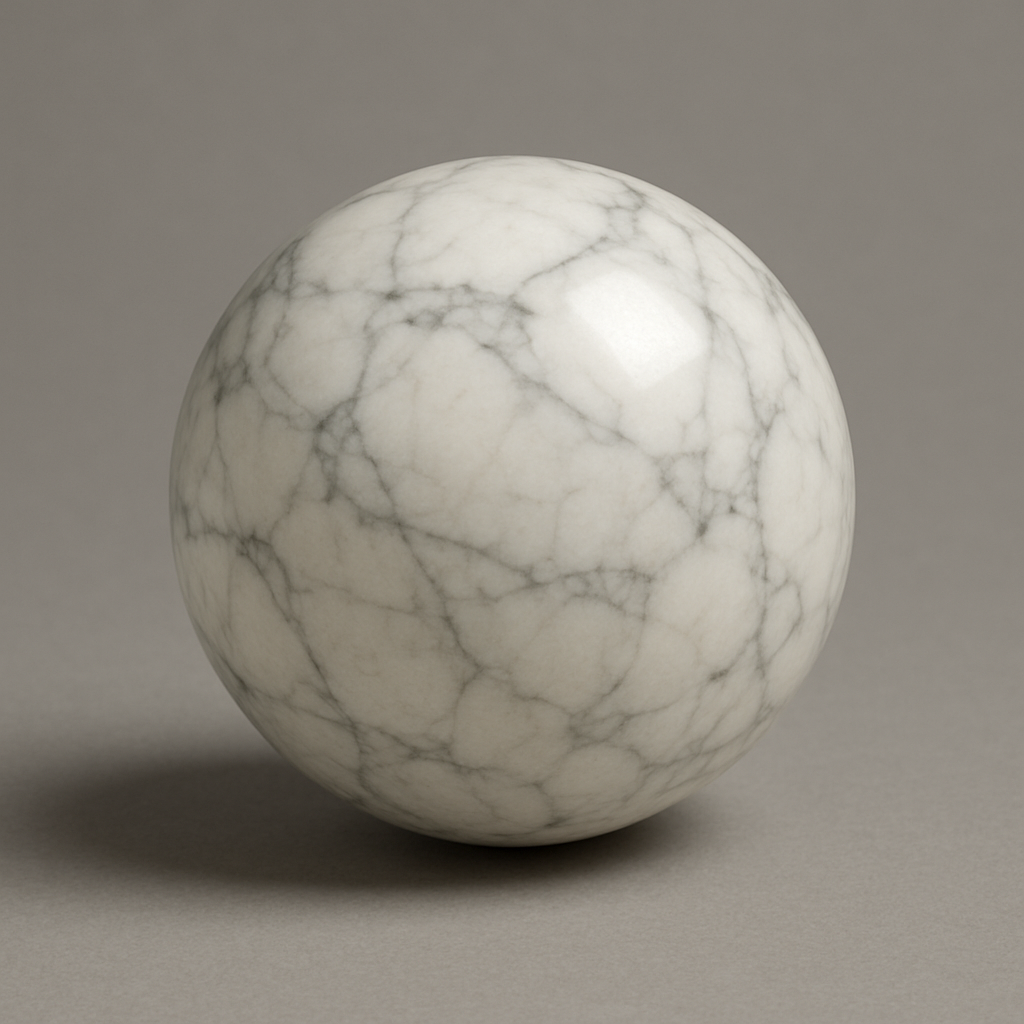
以下是我生的一些材質球

<div align="center"><figure><img src="https://1859296287-files.gitbook.io/~/files/v0/b/gitbook-x-prod.appspot.com/o/spaces%2FkYEe2LwUkVTEuNZF6NVm%2Fuploads%2FZGsu43EnUKJVFVTOzlYd%2FChatGPT%20Image%202025%E5%B9%B44%E6%9C%8818%E6%97%A5%20%E4%B8%8A%E5%8D%8811_43_20.png?alt=media&#x26;token=7dc3b894-8d59-47f1-9a0e-48494aeef2b0" alt="" width="375"><figcaption><p>金屬（金）</p></figcaption></figure></div>

<div align="center"><figure><img src="https://1859296287-files.gitbook.io/~/files/v0/b/gitbook-x-prod.appspot.com/o/spaces%2FkYEe2LwUkVTEuNZF6NVm%2Fuploads%2F4evEjxdSmnAjV8ubdR83%2FChatGPT%20Image%202025%E5%B9%B44%E6%9C%8818%E6%97%A5%20%E4%B8%8A%E5%8D%8811_43_25.png?alt=media&#x26;token=a11714b8-7331-4858-a730-ea1cda852936" alt="" width="375"><figcaption><p>金屬（銀）</p></figcaption></figure></div>

<figure><img src="https://1859296287-files.gitbook.io/~/files/v0/b/gitbook-x-prod.appspot.com/o/spaces%2FkYEe2LwUkVTEuNZF6NVm%2Fuploads%2FCmn5PHYE532HIZNiIkpT%2FChatGPT%20Image%202025%E5%B9%B44%E6%9C%8818%E6%97%A5%20%E4%B8%8A%E5%8D%8811_43_33.png?alt=media&#x26;token=ae127fb5-6191-4a77-8d6a-eddbc082c8db" alt="" width="375"><figcaption><p>石材（大理石）</p></figcaption></figure>

<figure><img src="https://1859296287-files.gitbook.io/~/files/v0/b/gitbook-x-prod.appspot.com/o/spaces%2FkYEe2LwUkVTEuNZF6NVm%2Fuploads%2FLC52iir27lQYtzxAbbZs%2FChatGPT%20Image%202025%E5%B9%B44%E6%9C%8818%E6%97%A5%20%E4%B8%8A%E5%8D%8811_43_49.png?alt=media&#x26;token=0dbebe49-4361-4df9-b1c8-2916fe741a45" alt="" width="375"><figcaption><p>玻璃（透明）</p></figcaption></figure>

更多材質球參考圖(免費下載)\
<https://drive.google.com/drive/folders/19LWEJpInvaiR31Z_a0azv-aip-T_WB0t?usp=sharing>


---

# Agent Instructions: Querying This Documentation

If you need additional information that is not directly available in this page, you can query the documentation dynamically by asking a question.

Perform an HTTP GET request on the current page URL with the `ask` query parameter:

```
GET https://creatorhome.gitbook.io/ai-design/chang-yong-ai-she-ji-gong-ju-zhi-nan/chatgpt-tu-pian-sheng-cheng-ying-yong/te-shu-ying-yong-an-li/sheng-cheng-cai-zhi-qiu.md?ask=<question>
```

The question should be specific, self-contained, and written in natural language.
The response will contain a direct answer to the question and relevant excerpts and sources from the documentation.

Use this mechanism when the answer is not explicitly present in the current page, you need clarification or additional context, or you want to retrieve related documentation sections.